At-Etudes
Interactive study pages. Each is a single self-contained file — download any study and it keeps working offline.
AptÉtudes
Tools you shape: set the key, the position, the harmony and the motion, and the étude is whatever you built.
Metronome
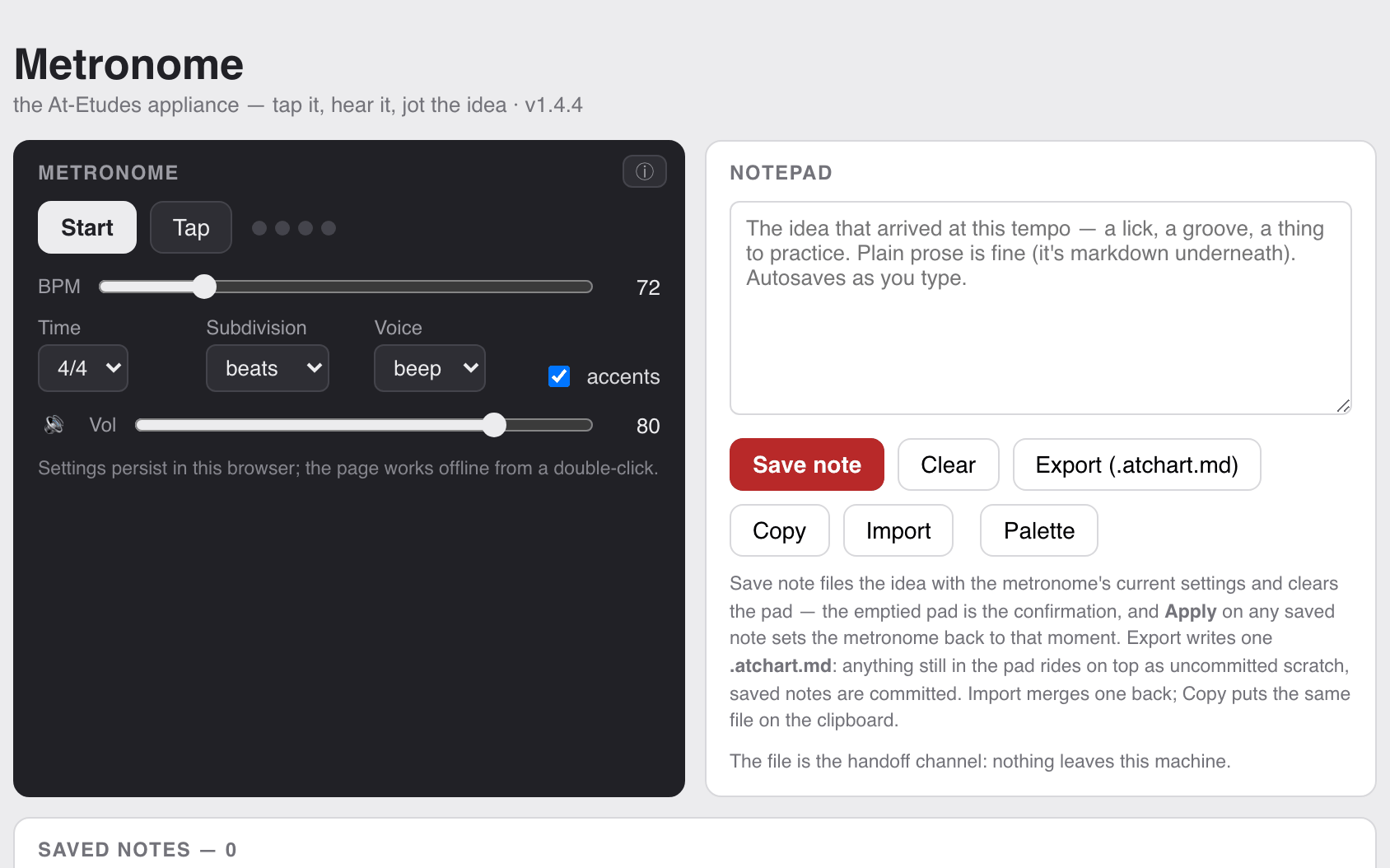
The At-Etudes metronome, standing alone. Three synthesized click voices — beep, wood, tick — with tap tempo, accents on the bar or the beat, time signatures through 7/4, and subdivisions to 16ths. Every At-Etudes app carries this same metronome as its first block, so the clock you learn here is the clock everywhere else. Beside it sits the notepad: type a plain line about what just happened, and Save files the idea with the tempo and settings it arrived at — Apply on any saved note puts the metronome back to that moment. Export writes one
.atchart.md any sibling app can open. No audio assets, and it works offline from a double-click.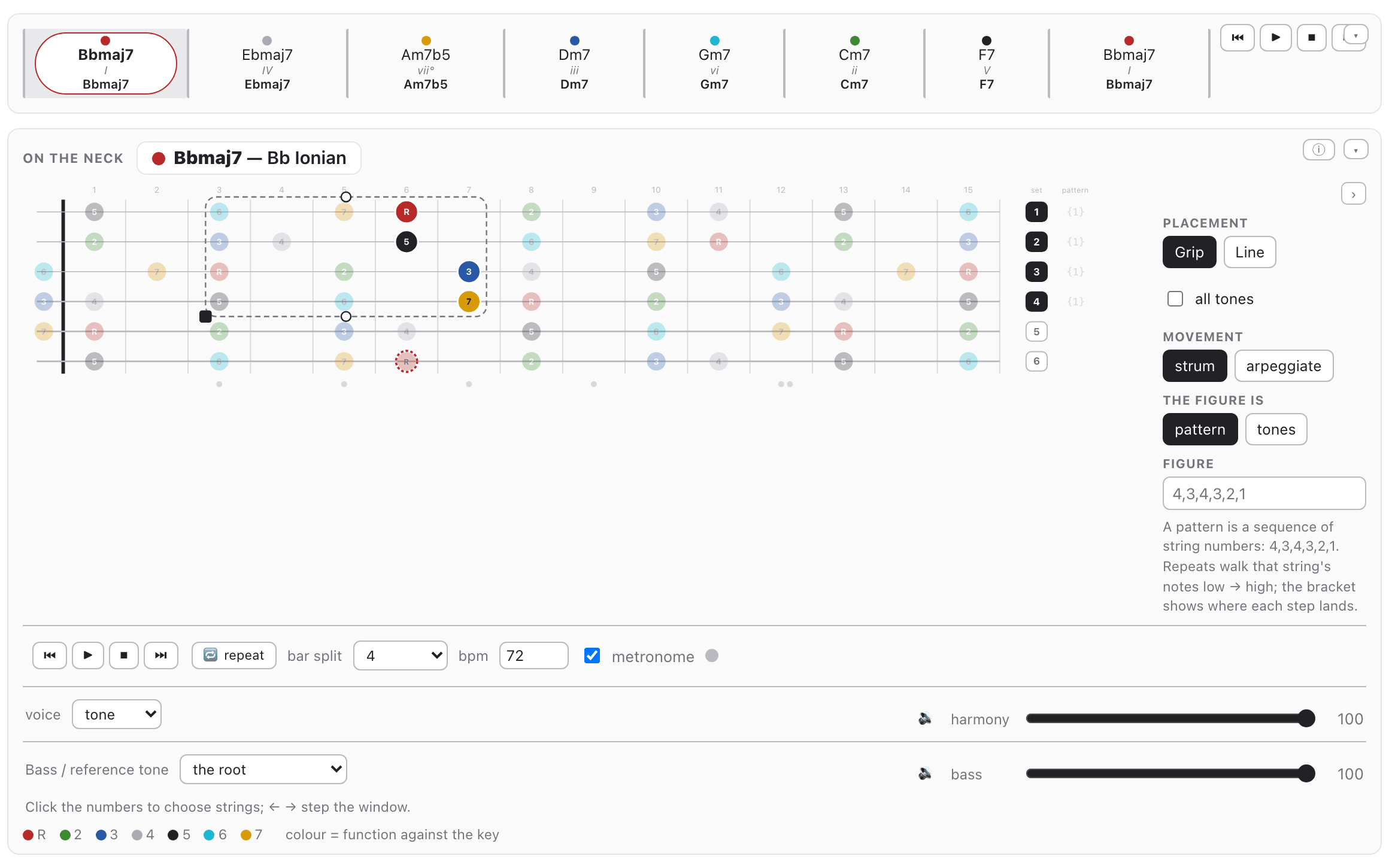
Multetudes — the Étude Designer
Build an étude from the ground up. Frame a position on the neck — drag the grip across frets and strings, drag the handles to choose which strings it spans — then pick what sits on it: a scale, a dyad, a triad, a tetrad or a shell. Write the figure in slots or in chord tones, say how it moves — blocked or arpeggiated, gripped or along a line — and run it through a progression built from a cycle, a form, or your own romans and bars. It plays on the neck, the staff and the keyboard at once, on the metronome’s grid. Presets seed every control and leave them all live, so a starting point is never a lock, and notes and charts save to a file that never leaves your machine.
Triadetudes — the Triad Étude Designer
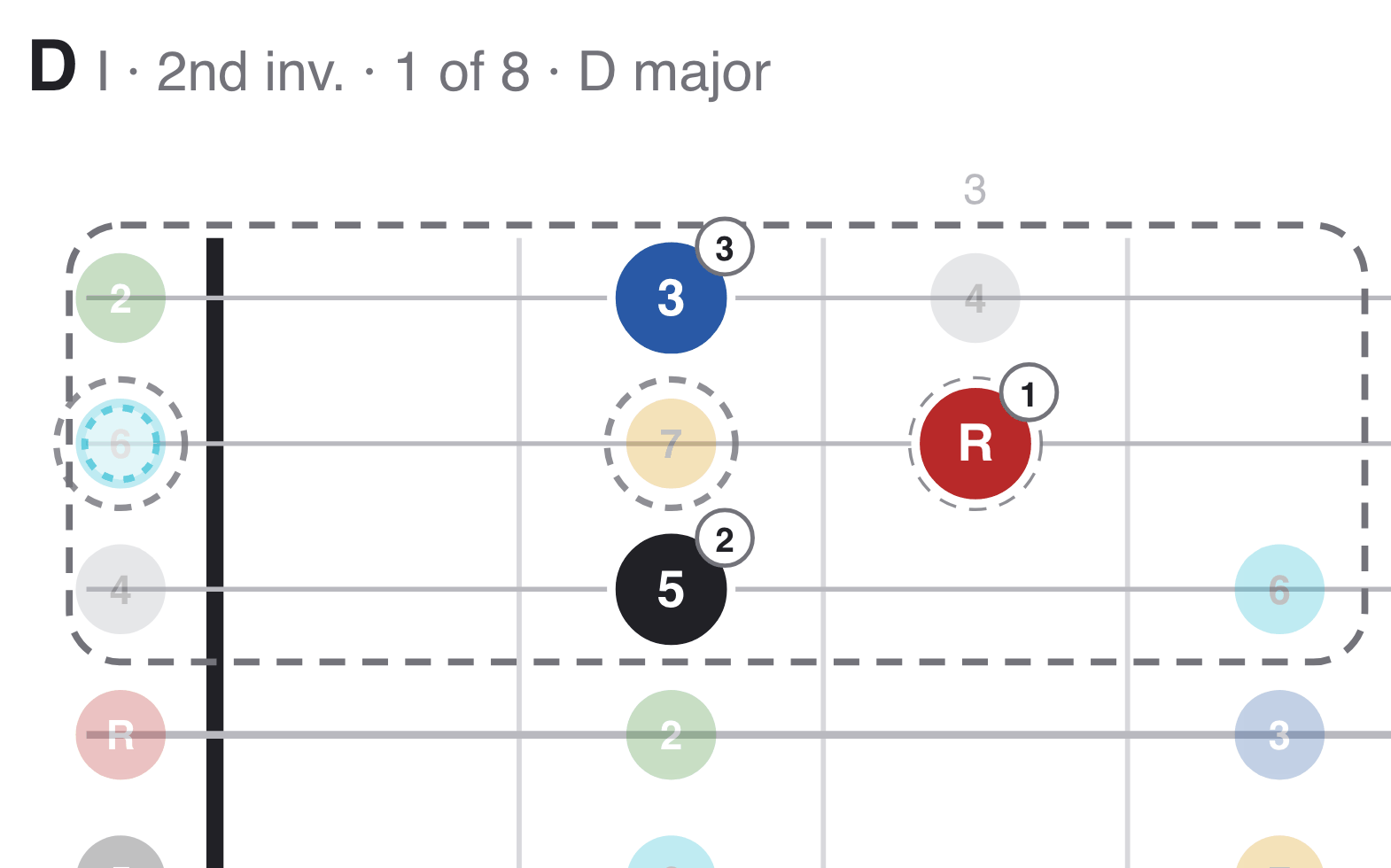
Triads, isolated. Pick a key, a scale and a string set, then run three-note voicings through a progression — cycling 4ths, 6ths, 3rds, or scalar — taking the smallest voice movement between them. An isolation box frames the region you’re working in; click notes on the neck to write the figure, choose how it moves, and enclose a target tone when you want the approach. Chord, bass and click each get their own level, so muting the chords turns the page into a play-along you supply the voicings for. The practice log keeps what you worked on.
Tetradetudes — the Tetrad Étude Designer
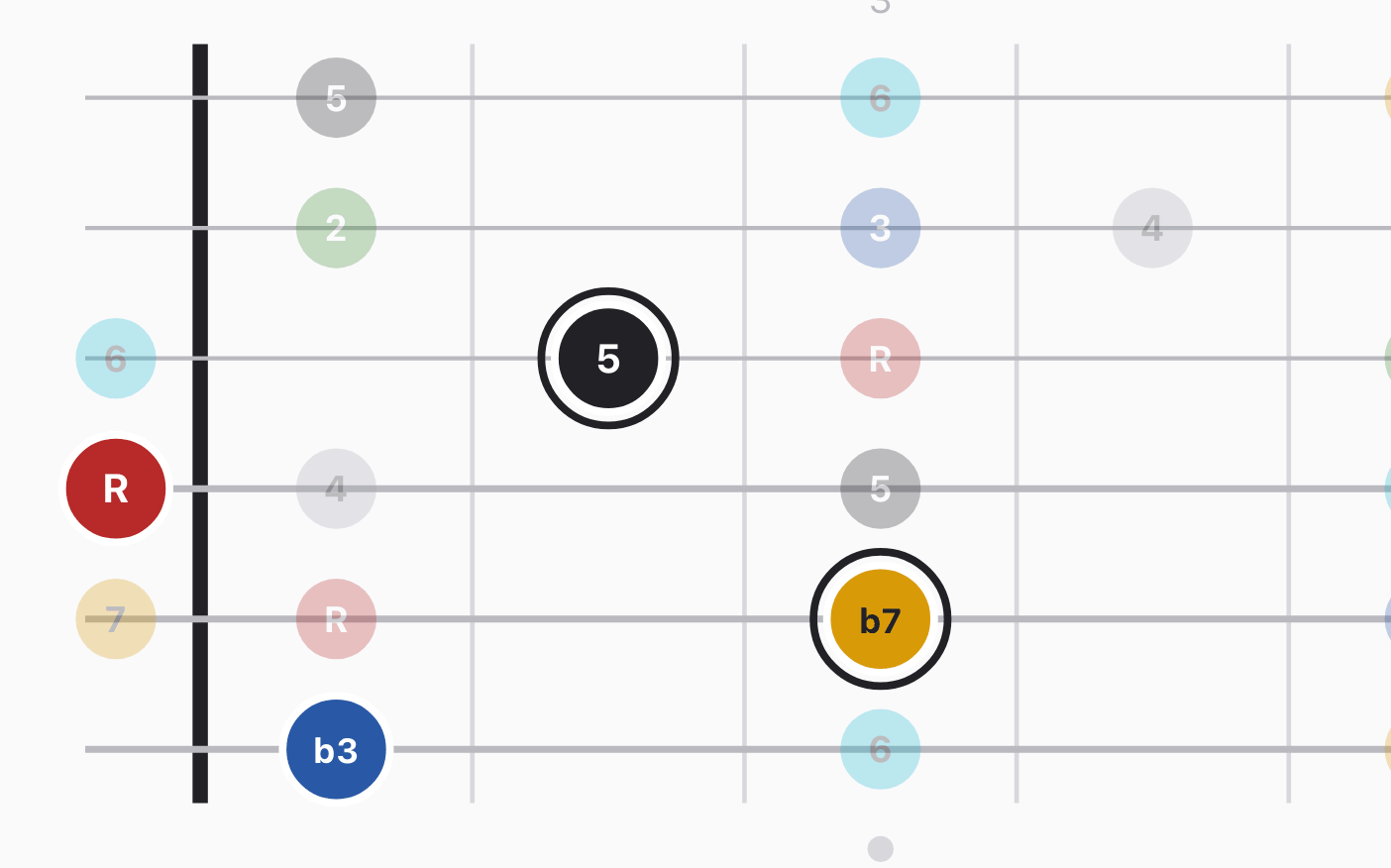
The same designer, four voices deep. Choose a key, a cycle, a string set and a voicing family — close, drop-2, drop-3 — and walk four-note chords through a progression with minimal movement between them. Arpeggiate the voicings or enclose a target tone, and watch it on the neck, the staff and the keyboard while you hear it on the metronome’s grid, the bar split deciding how many beats each chord gets. Build the harmony up or break it down. Works offline, and the practice log is yours.
SolÉtudes
Studies that teach one thing: the shape is fixed, and you change the key, the hearing and the tempo.
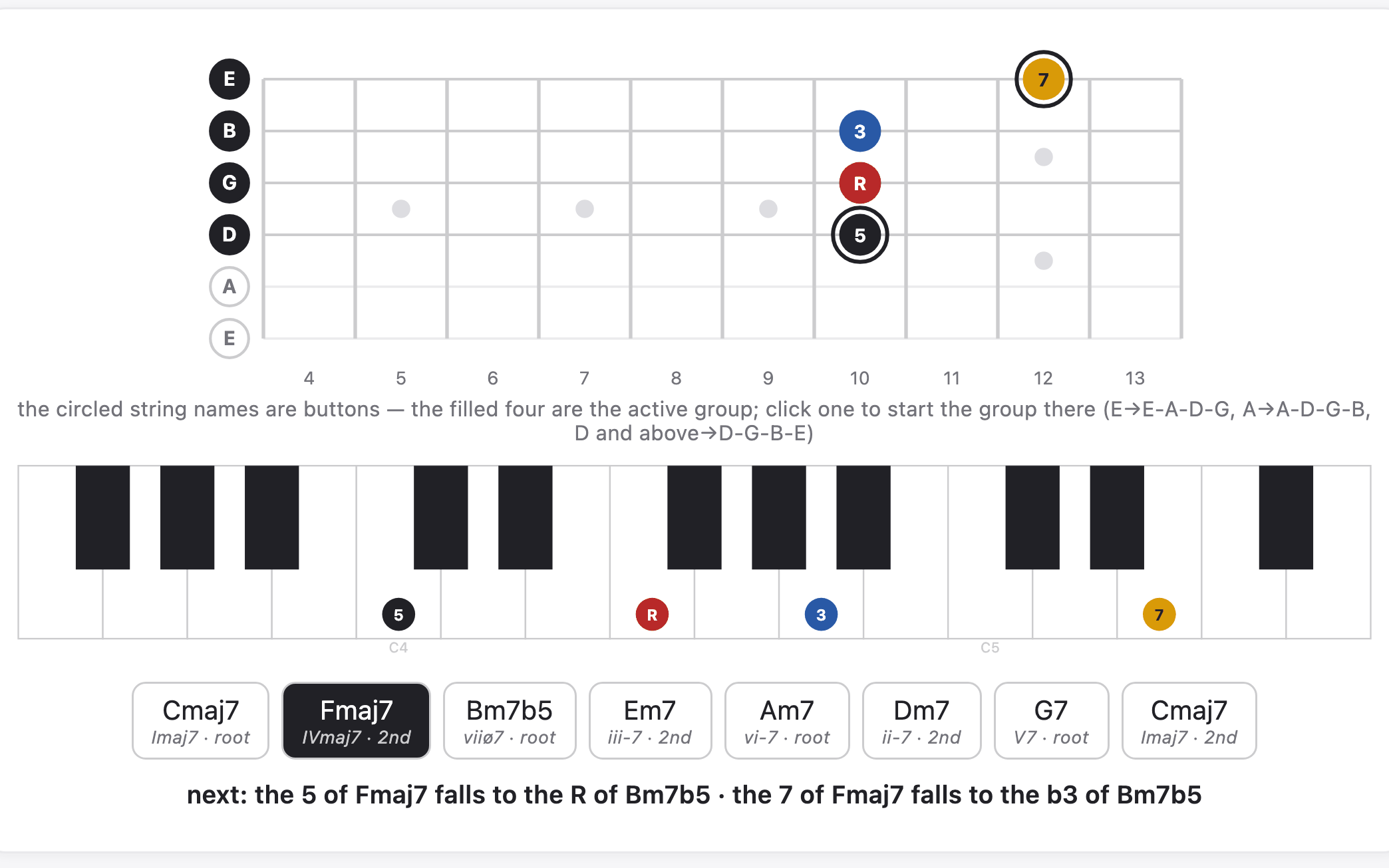
Tetrad Voice Leading — Cycling Through a Scale
A fixed study rather than a designer: four-note chords connected by the smallest possible moves. Set the key center and scale, choose the bottom note of the starting tetrad, pick a cycle and press play — at every step the voices that must move slide one scale step and recolor as their function changes, while the others hold still. The same pitches light up on the neck and on the keyboard together. Click a string name to choose which four strings carry the voicing, click any chord to jump there, or any note to hear it alone. Five cycles, every key.
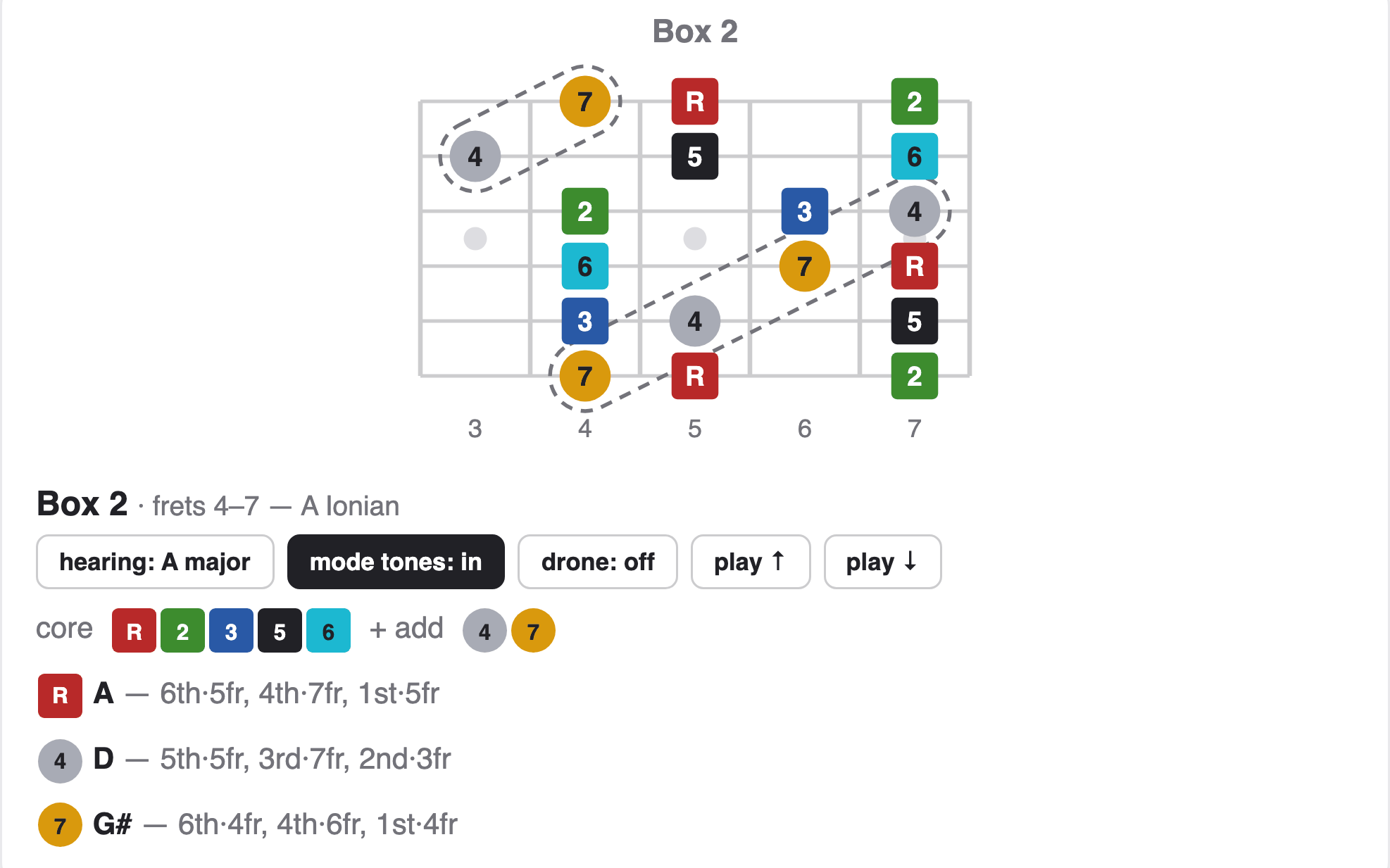
Modes from Pentatonic Boxes
Every mode is a pentatonic scale you already know, plus two notes. Pick a key and the five pentatonic boxes appear in order down the neck, each showing the two mode tones that turn that box into the full mode. Toggle the mode tones out to strip back to the bare pentatonic, or flip any mode pair to its relative minor and watch the same physical notes change color and meaning. A drone sustains a tonal center — the whole map’s, or one box’s, following its flips — and the play buttons sound each box in turn. Click a color in the legend to pin that degree family across every box.